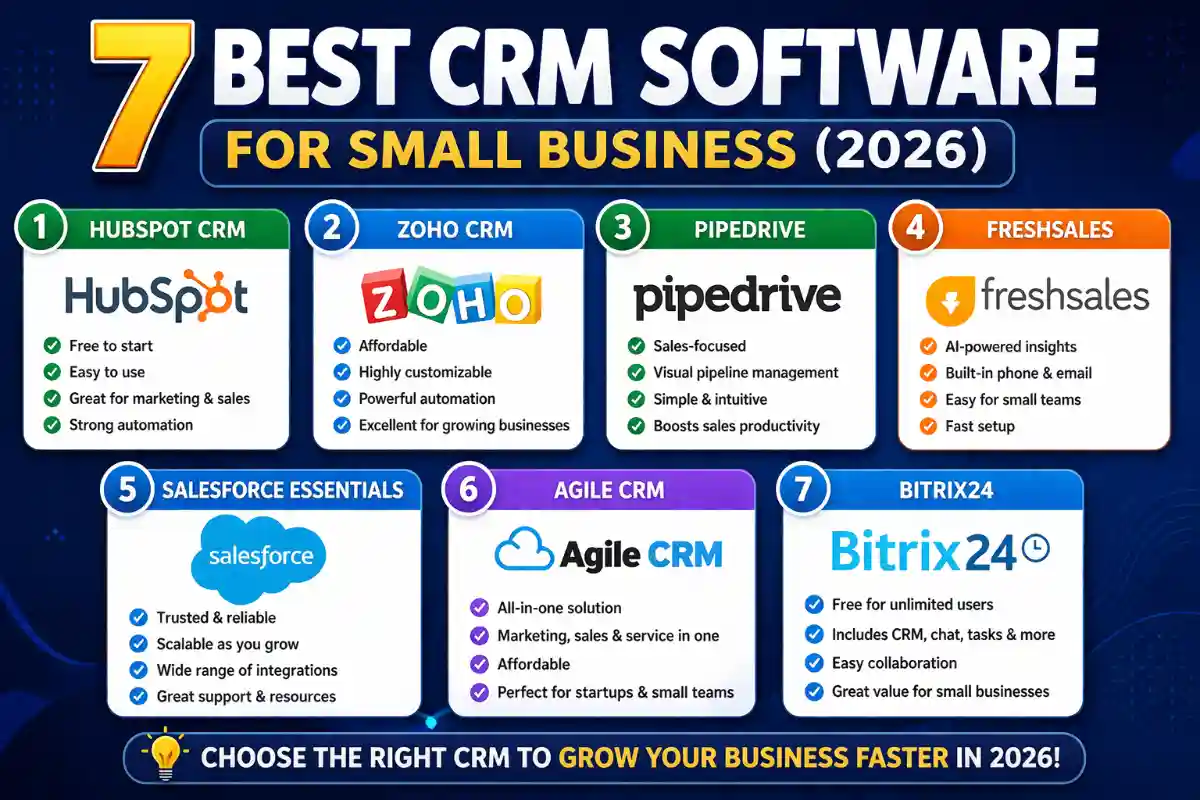

The CRM market hit $80 billion in 2026, but most platforms are built for enterprises—not the 5-20 person teams actually buying them.
Here’s what small businesses need: a CRM that’s operational in days (not months), costs under $50/user/month, requires zero technical setup, and actually gets used by the team. That eliminates 90% of options immediately.
After testing 15+ platforms and analyzing real user data, we’ve identified the 7 CRMs that actually work for small businesses in 2026. No enterprise bloat, no consultant dependency, no surprise costs.
Quick Comparison Table
| CRM | Best For | Starting Price | Free Plan | Users Love | Users Hate |
|---|---|---|---|---|---|
| HubSpot | Best free CRM | Free / $20/user | ✅ Unlimited users | Actually free forever | Expensive upgrades |
| Pipedrive | Visual pipeline | $14/user/month | ❌ 14-day trial | Easiest to adopt | Weak marketing |
| Zoho CRM | Best value | $14/user/month | ✅ Up to 3 users | Feature-rich + cheap | Learning curve |
| Freshsales | Built-in phone | $9/user/month | ✅ Up to 3 users | Phone system included | Limited free tier |
| Salesforce Essentials | Scaling fast | $25/user/month | ❌ 30-day trial | Never outgrow it | Overkill for tiny teams |
| Monday CRM | Project teams | $12/user/month | ❌ 14-day trial | Visual workflows | Not pure CRM |
| Bigin | Micro teams | $9/user/month | ✅ Up to 3 users | Dead simple | Too simple for scale |
1. HubSpot CRM: Best Free CRM for Small Business
Verdict: If you’re moving off spreadsheets and have $0 budget, start here.
What It Does
HubSpot offers a genuinely free CRM—no time limit, no credit card, no tricks. You get unlimited users, unlimited contacts, deal pipelines, email tracking, meeting scheduler, and mobile app.
Free Forever Includes:
- Contact and deal management (unlimited)
- Email integration (Gmail, Outlook)
- Meeting scheduler
- Live chat widget
- Basic reporting
- Mobile apps (iOS, Android)
What’s Missing in Free:
- Email sequences (need Starter, $20/user)
- Custom reporting (need Professional, $90/user)
- Workflow automation (need Professional)
- AI features (need Professional+)
Pricing
- Free: Unlimited users and contacts (best free CRM)
- Starter: $20/user/month
- Professional: $90/user/month (where most teams land)
- Enterprise: $150/user/month
Best For
- Startups with $0 CRM budget
- Teams under 5 people
- Companies planning to use HubSpot ecosystem later
- Marketing + sales alignment
Real Talk
HubSpot’s free CRM is a loss leader—it’s excellent to get you hooked, then upgrades get expensive fast. But if you can live within free tier limits (no email sequences, basic reporting), it’s the best deal in CRM.
User Rating: 4.4/5 (11,000+ reviews)
2. Pipedrive: Best CRM for Visual Sales Pipeline
Verdict: Sales teams that just want to close deals faster should start here.
What It Does
Pipedrive is laser-focused on one thing: visual pipeline management. Drag-and-drop deal cards, color-coded health indicators, and “deal rotting” alerts that flag stagnant opportunities.
Core Strengths:
- Best visual pipeline interface in the market
- Activity-based selling approach
- Sales-only focus (no marketing bloat)
- 500+ integrations
- Mobile app with full features
Pricing
- Lite: $14/user/month (basic pipeline only)
- Growth: $39/user/month (email sync + automation)
- Premium: $59/user/month (AI + lead scoring)
- Ultimate: $99/user/month (projects + advanced)
Add-Ons (per company, not per user):
- LeadBooster: $32.50/month
- Web Visitors: $41/month
- Campaigns (email marketing): $16+/month
Best For
- Sales-driven teams (5-50 reps)
- Visual thinkers who need kanban-style interface
- Teams making 20+ calls daily
- Startups that can’t afford training time
Real Talk
Pipedrive does one thing exceptionally well: visual pipeline management. But marketing features are weak, and add-ons can double your costs. For pure sales teams, it’s worth it.
User Rating: 4.5/5 for ease of use
3-Year Cost (10 users, Growth plan): $14,040
3. Zoho CRM: Best Value for Small Business
Verdict: Need enterprise features at SMB prices? This is it.
What It Does
Zoho packs enterprise-grade features into affordable tiers: AI lead scoring ($40/user), workflow automation ($23/user), and deep customization that rivals Salesforce—at 1/4 the cost.
What You Get:
- Multiple pipelines (Professional+)
- Blueprint process automation
- Zia AI assistant (Enterprise, $40/user)
- Territory management
- Custom modules and fields
- Inventory management
- Social media integration
Pricing
- Free: Up to 3 users (basic CRM)
- Standard: $14/user/month
- Professional: $23/user/month (Blueprint automation)
- Enterprise: $40/user/month (Zia AI)
- Ultimate: $52/user/month (analytics + advanced)
Best For
- Budget-conscious teams needing advanced features
- Complex sales processes requiring custom workflows
- Companies using other Zoho products (Books, Desk, Projects)
- Teams with 1-2 weeks for implementation
Real Talk
Zoho delivers the best features-per-dollar in the CRM market. The catch: UI feels dated, learning curve is steep, and setup takes time. Worth it if you need the power.
User Rating: 4.4/5 (Gartner)
3-Year Cost (10 users, Professional): $8,280 (cheapest for comparable features)
4. Freshsales: Best Budget CRM with Built-In Phone
Verdict: Call-heavy sales teams save $30-50/user/month on separate VoIP.
What It Does
Freshsales’ killer feature: built-in phone system. Buy local/toll-free numbers, make outbound calls, receive inbound calls—everything auto-logged. No Aircall, no RingCentral, no Zapier needed.
Core Features:
- Native phone, email, and chat
- Freddy AI lead scoring (Pro, $39/user)
- Visual pipeline (Pro+)
- CPQ and quotes (Pro+)
- Sales sequences
- Built-in calling and recording
Pricing
- Free: Up to 3 users (very limited)
- Growth: $9/user/month (cheapest paid CRM)
- Pro: $39/user/month (where value lives)
- Enterprise: $59/user/month
Best For
- Teams making 50+ calls daily
- Budget under $50/user/month
- Sales-only focus (minimal marketing needs)
- Startups wanting built-in communication
Real Talk
At $39/user for Pro, Freshsales delivers built-in phone + AI scoring + automation for less than HubSpot Professional ($90/user) without the phone. For call-heavy teams, it’s a no-brainer.
User Rating: 4.5/5
Key Savings: Built-in phone saves $30-50/user/month vs. separate VoIP tools.
5. Salesforce Essentials: Best for Rapid Scaling
Verdict: Plan to hit 50+ reps in 2 years? Start here, never migrate.
What It Does
Salesforce Essentials is the enterprise CRM scaled down for small teams. You get the Salesforce platform, power, and ecosystem—without the complexity (or full enterprise cost).
What’s Included:
- Complete CRM platform
- Einstein AI (limited)
- AppExchange access (7,000+ apps)
- Mobile app with offline mode
- Reports and dashboards
- Workflow automation
Pricing
- Essentials: $25/user/month (up to 10 users)
- Professional: $100/user/month
- Enterprise: $175/user/month
Best For
- Startups planning rapid growth (5 → 50+ reps in 18 months)
- Teams needing complex customization
- Companies in regulated industries (healthcare, finance)
- Organizations wanting one CRM forever
Real Talk
Salesforce is overkill for most 5-person teams. But if you’re scaling fast and don’t want to migrate CRMs at 20-30 users, paying $25/user now saves migration hell later.
User Rating: 4.4/5
When It Makes Sense: Growing 50%+ annually, planning to hit 25+ users within 2 years.
6. Monday CRM: Best for Project-Based Teams
Verdict: If you’re already using Monday for projects, the CRM add-on makes sense.
What It Does
Monday CRM blends task management with customer relationships using customizable visual boards. Great for agencies, consultancies, and project-based businesses.
Core Features:
- Visual workflow boards
- Customizable pipeline stages
- Project + CRM integration
- Timeline and Gantt views
- Team collaboration tools
- Automation recipes
Pricing
- Basic: $12/user/month (3-user minimum)
- Standard: $17/user/month
- Pro: $28/user/month
- Enterprise: Custom pricing
Best For
- Agencies managing client projects + relationships
- Consulting firms
- Teams already using Monday.com
- Visual thinkers who prefer boards over lists
Real Talk
Monday CRM isn’t a dedicated CRM at its core—it’s Monday.com with CRM features added. Great if you’re already in the Monday ecosystem, but pure sales teams should look elsewhere.
User Rating: 4.7/5 (for Monday.com overall)
Best Alternative: If not using Monday for projects, choose Pipedrive for similar visual pipeline.
7. Bigin by Zoho: Best for Micro Teams
Verdict: 3-10 person teams wanting dead-simple CRM should start here.
What It Does
Bigin is Zoho CRM stripped to essentials: contact management, pipeline tracking, basic automation. Zero complexity, instant setup, affordable scaling.
What’s Included:
- Contact and pipeline management
- Email integration
- Mobile apps
- Workflow automation (basic)
- Reporting dashboards
- Multi-channel communication
Pricing
- Free: Up to 3 users
- Express: $9/user/month
- Premier: $15/user/month
Best For
- Micro teams (3-10 people)
- First-time CRM users
- Solo entrepreneurs with assistants
- Teams that want setup in under 1 hour
Real Talk
Bigin is intentionally limited—you’ll outgrow it at 15-20 users. But for micro teams moving off spreadsheets, it’s the smoothest onboarding in the market. When you outgrow it, upgrade to full Zoho CRM.
User Rating: 4.6/5 (PCMag Editors’ Choice 2026)
Migration Path: Bigin → Zoho CRM (seamless upgrade)
How to Choose: Decision Framework
Start with Budget
$0/month: HubSpot Free (unlimited users) or Bigin Free (3 users)
Under $20/user/month:
- Zoho Standard ($14/user) – best value
- Pipedrive Lite ($14/user) – visual pipeline
- Bigin ($9/user) – simplicity
- Freshsales Growth ($9/user) – built-in phone
$20-50/user/month:
- Zoho Professional ($23/user) – automation + AI
- Freshsales Pro ($39/user) – phone + AI
- Pipedrive Growth ($39/user) – email + automation
$50-100/user/month:
- HubSpot Professional ($90/user) – all-in-one ecosystem
- Salesforce Professional ($100/user) – enterprise power
Then Match to Primary Need
Need marketing automation: HubSpot (only choice)
Sales-only, visual pipeline: Pipedrive
Budget constraints + advanced features: Zoho CRM
Call-heavy sales (50+ calls/day): Freshsales
Scaling to 50+ reps fast: Salesforce Essentials
Project + client management: Monday CRM
Micro team, first CRM: Bigin
Team Size Guide
1-5 people: HubSpot Free, Bigin, or Freshsales Growth
5-20 people: Pipedrive, Zoho, Freshsales Pro
20-50 people: HubSpot Professional, Zoho Enterprise, Salesforce
50+ people: Salesforce, HubSpot Enterprise
The Real Cost: 3-Year TCO
10-Person Team Comparison:
| CRM | 3-Year Total | Monthly Average |
|---|---|---|
| HubSpot Free | $0 | $0 |
| Freshsales Pro | $14,040 | $390/month |
| Zoho Professional | $8,280 | $230/month |
| Pipedrive Growth | $14,040 | $390/month |
| HubSpot Professional | $32,400 | $900/month |
| Salesforce Professional | $36,000 | $1,000/month |
Savings Opportunity: Choosing Zoho Professional over HubSpot Professional saves $24,120 over 3 years for a 10-person team.
Common Questions
Q: Can I really use HubSpot free forever? Yes. No time limit, no credit card. Limitations: no email sequences, no custom reports, no automation.
Q: Which CRM is easiest to set up? Bigin (1 hour), HubSpot Free (2-3 hours), Pipedrive (half day).
Q: Do I need a dedicated admin for these? No. All 7 are designed for small teams without IT staff. Salesforce needs more technical knowledge than others.
Q: Can I migrate later if I choose wrong? Yes. Most platforms offer import tools. Budget 1-2 weeks for data migration + team training.
Q: Which has best mobile app? Pipedrive and HubSpot both offer excellent mobile apps with feature parity to desktop.
Q: What about AI features? Freshsales Freddy AI ($39/user) and Zoho Zia ($40/user) deliver best AI value. HubSpot AI requires $90/user Professional tier.
Q: Do these integrate with my tools? HubSpot (1,000+ integrations), Pipedrive (500+), Zoho (extensive), Salesforce (7,000+ via AppExchange). Check specific tools before committing.
The Bottom Line
For 80% of small businesses (sales-focused, 5-20 people, budget under $50/user):
- Start with HubSpot Free if budget is $0
- Upgrade to Zoho Professional ($23/user) when you need automation
- Or choose Freshsales Pro ($39/user) if phone calls are primary activity
For the other 20%:
- Scaling fast: Salesforce Essentials
- Visual sales only: Pipedrive
- Marketing-led: HubSpot Professional
- Micro team: Bigin
The CRM that wins isn’t the one with the most features—it’s the one your team actually uses. Choose based on primary workflow, not feature checklists.
Last updated: April 2026. Pricing verified from official sources. All platforms offer free trials—test before committing.